React native vs swift: which framework is right for your next ios app?

This post conducts a comprehensive and in-depth comparison of two of the most used iOS app development technologies: React Native vs Swift. Exploring React Native and Swift, the two powerful tools that are frequently used by developers, will help build native mobile apps more efficiently. Swift is primarily a development language intended for iOS, whereas React Native is focused on building apps that work across multiple platforms.

Choosing between React Native and Swift depends on many factors such as the functioning of the desired app, budget, and target audience. That’s why we’re here to explore the differences between these potent front-end development frameworks, so you can confidently select the best option for your forthcoming app project.

What is react native?

What is React Native?

Released and maintained by the social media giant – Facebook in 2015, React Native is an open-source JavaScript programming framework. The key objective behind introducing this framework was to facilitate cross-platform app development and boost the process of mobile app development.

Simply put, React Native lets you use a similar code base to develop native-looking apps for both Android and iOS platforms. This feature aids in decreasing the development time required to create cross-platform applications, ultimately resulting in significant cost savings for businesses seeking to build their applications across multiple platforms.

Backed by the JavaScript library, the most used programming language, React Native lets developers use up to 70% of the same code across different platforms such as iOS, Android and Windows. So, if your business plans to launch a cross-platform app in the shortest possible time, React Native is your go-to choice.

With our understanding of React Native established, let’s talk about the Pros and Cons of the framework in detail before we compare React Native Vs Swift.

Pros and cons of react native

Undoubtedly, React Native has gained immense popularity among iOS app developers and individuals who are considering investing in iOS app development. However, this app development framework has its limitations.

Before investing in your next iOS app development project with React Native, take the time to review the pros and cons of this framework to maximize your investment.

The pros of react native for ios app development

Here are the pros of using React Native for iOS app development:

  • Superior Performance: As native apps are built for a particular operating system, they take maximum advantage of the processing speed of the device. In addition to high-speed functioning, they also ensure seamless user experience and flawless performance with a well-designed UI.
  • Live Reloading: This feature enables React Native app developers to immediately visualize their code in a preview window. Developers can see real-time changes and avoid the need for redevelopment or redeployment of the app. This results in time-saving, better code quality and higher productivity.
  • Extensive Library Support: When comparing Swift vs React Native, the former has almost 33,000 libraries and packages, compared to Swift’s mere 3,800 packages. While the figures alone don’t guarantee the quality of the language or its framework, they demonstrate the community’s dedication and passion to contribute to the technology’s future development.
  • Reduced Time to Market: React Native’s platform independence leads to reduced development cycles and faster time-to-market. By writing a single codebase, and with a few native tweaks, deployment on both platforms is possible.
  • Create Feature-rich Apps: React Native’s easy integration of native device features and third-party libraries allows for the creation of feature-rich mobile apps. For example, a React Native app can use device features such as GPS, camera and Touchscreen, and can be easily integrated with VR, AI, IoT and AR technologies to build groundbreaking apps.
  • Faster Development: Features like using a common codebase across both platforms and hot loading help React Native app developers reduce development time.
  • Cost-Effective: React Native lessens the cost of iOS app development by minimizing the need for native developers and permitting the use of open-source libraries. This can lead to substantial savings in development costs.
  • Easy to Debug: React Native offers developers a selection of essential debug tools, including the Flipper tool and React DevTools, which can significantly accelerate the bug detection and fixing process.
  • Quick App Updates (QAU): This React Native feature allows developers to eliminate the conventional approach of releasing app updates for the users and deploy their app updates directly in user devices using OTA (Over the air) feature.

The cons of react native for ios app development

Here are the cons of using React Native for iOS app development:

  • Complex Design for Custom UI: Both iOS and Android platforms have their own set of guidelines for publishing apps in their respective app stores. This turns into a huge problem for React Native app developers, as they find it challenging to create a high-quality custom user interface in their app development.
  • Testing is more Intensive: When we compare React Native vs Swift, building multi-platform apps is certainly faster in React Native due to its script-sharing feature. However, the testing process in React Native is extended. Testing React Native apps requires more precision and effort since errors are more likely to arise on both platforms.
  • Limited Wrappers: Integrating native modules, components, and APIs into projects may require developers to write custom wrappers, and this process will demand more time.
  • Security Challenges: React Native, a popular choice among iOS app developers, has security challenges due to its open-source JavaScript framework. The loosely typed language allows variables to contain anything, making it a potential security threat. Developers building financial and banking apps must add security patches to address these issues.

On-demand apps developed with react native
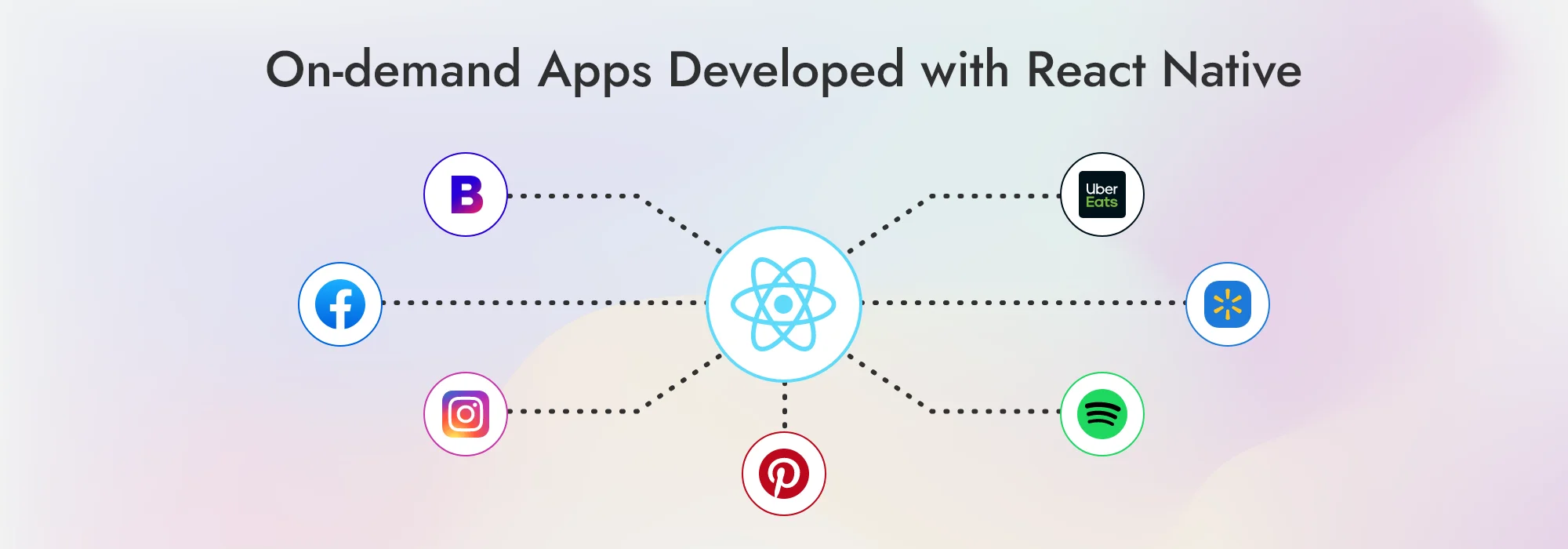
On-demand Apps Developed with React Native

The following are the most well-known on-demand applications created using the React Native framework.

  • Bloomberg
  • Facebook
  • Instagram
  • Pinterest
  • Spotify
  • Walmart
  • Uber Eats

Want to Build a High-Quality, React Native iOS App Quickly and Easily?

We are a Leading React Native iOS App Development Company With a Team of Experienced Developers Who Can Help You Build Your Dream App.
Get Started Today With a FREE Quote!

React Native was preferentially used to develop these top-rated apps with millions of users, which offer various services such as food delivery, transportation, and accommodation, due to React Native’s ability to create user-friendly and high-performing cross-platform apps.

What is swift?

What is Swift?

Back in 2014, Apple rolled out its new programming language, Swift, to take over the reins from its predecessor, Objective-C. Swift is a versatile, modern and general-purpose programming language.

Thanks to its versatile and user-friendly characteristics, Swift has become the go-to choice for constructing top-notch, native iOS apps across the full suite of Apple devices; from iPhones and iPads to Apple Watches, TVs, and Macs. Swift’s language is optimized for clarity and concision, employing state-of-the-art features like type inference, automatic memory management, and generics to enhance its readability and usability.

Swift’s knack for harnessing native hardware features inherent in Apple devices sets it apart as the primary choice for developing first-rate iOS apps that are both secure and feature-rich and steadily cementing its reputation as the best tool to build cutting-edge apps in the Apple ecosystem.

The comparison of Swift UI vs React Native arises from their significant differences as Swift is a native language by Apple, while React Native utilizes React components and JavaScript to create cross-platform app experiences.

The pros and cons of swift

Sure, there are pros and cons to consider when choosing between Swift vs React Native. Let’s take a look at the Pros and Cons of Swift development.

Pros of choosing swift for ios development

Here are the pros of using Swift for iOS app development:

  • High Speed: Using Swift, app developers can create apps up to 3.4 times faster than those coded in Objective-C. Swift achieves this through efficient memory management and modern compiler technology.
  • Security: Swift prioritizes security, with features including type safety, automatic memory management, and strong typing impressively enhancing the security measures of iOS applications.
  • Expressiveness: Swift’s easy-to-understand and expressive nature is due to various aspects, including its clean and simple syntax, closure support, and the use of modern programming concepts, including protocols and generics, leading to clear and concise code development.
  • Community: A vast community of developers actively supports Swift, with numerous resources available to help developers in learning and using Swift through the Swift website, Swift forum, and Swift GitHub repository.

Cons of choosing swift for ios development

Here are the cons of using Swift for iOS app development:

  • Smaller developer community: Due to being a relatively new language, Swift has a smaller developer community than some other languages. This may create difficulty in obtaining assistance or support when confronting any development obstacles.
  • Only for Apple platforms: Being a native development platform, Swift is restricted to the Apple ecosystem and cannot be used on non-Apple devices. Therefore, creating a standard app that runs on both Android and iOS platforms would necessitate the development of two distinct applications.

On-demand apps developed with swift

On-demand Apps Developed with Swift

Here are some of the most popular on-demand apps that are the result of Swift development.

  • Lyft
  • LinkedIn
  • Airbnb
  • Uber
  • Twitter
  • WordPress
  • WhatsApp

Want to Build a High-Quality, Swift iOS App Quickly and Easily?

We are a Leading Swift iOS App Development Company With a Team of Experienced Developers Who Can Help You Build Your Dream App.
Get Started Today With a FREE Quote!

Should you consider transitioning your iOS app development from React Native to Swift, your switch plan will hinge on the intricacy of your present codebase and the scope of your project.

A detailed comparison: react native vs swift

React Native and Swift are two popular technologies for developing iOS apps. A key distinguishing factor between them is their compatibility: React Native creates cross-platform apps, while Swift is designed exclusively for Apple platforms. Simply put, Swift apps operate solely on Apple devices, whereas React Native ones can function on both iOS and Android platforms.

So, which is better for your iOS app development? React Native or Swift? Let’s perform a detailed comparison between Swift Vs React Native.

Key differences: react native vs swift

Criteria 

React Native Swift 

Winner 

Released ByFacebookApple Inc 
Lauch Year20152014 
TypeOpen-Source UI frameworkOpen-source UI software framework 
React Native Vs Swift PerformanceOutperforms in memory usage and GPU speedSuperior CPU consumptionReact Native
Swift UI vs React NativeEasy library integration with JavaScript, difficult to stay updated with a native environmentNative UI development with Swift, Swift UI for a better experienceReact Native
Stability: iOS Swift Vs React NativeComplex layers that can make the application unstableMore stable with native iOS developmentSwift
Speed of CodingEasy to learn with an easy learning curve and various toolsConventionally produces native iOS apps, smoother with Swift PlaygroundsReact Native
Learning Curve: swift vs React native which is easierOverall complex in comparison to Swift, with detailed documentation and extensive librariesNot simple to learn but is supported by official documentation and Swift PlaygroundsSwift
Platform Maturity: React Native Vs iOS SwiftFunctions as a bridge between iOS platforms and code, not as native for intensive graphical workExcellent performance with intensive computational and graphic workReact Native
Developer Cost: React Native vs SwiftCost-effective to hire a React Native developer, not much difference in quality with a single Swift programmerCost-effective when hiring a team of Swift developersReact Native
Developer’s Availability: React Native vs SwiftPlenty of JavaScript developers, comparatively fewer professional Swift developers or companiesThe popularity of JavaScript as a preferred languageReact Native
Community Support and DocumentationOpen source with widespread developer support and accurate documentationConsistent documentation updates but technical support from public platformsReact Native
App Development TimeLessMoreReact Native
Cross-platform app developmentYesNoReact Native
Industry ApplicationBuilding cross-platform apps for Startups and SMEsBuilding a genuinely native iOS app that utilizes the platform’s features and requires complex processing and advanced graphics 
Used by CompaniesMeta, Microsoft, Walmart, Uber Eats, Twitter, Pinterest, Bloomberg, Tesla, and WixApple, Uber, Airbnb, Slack, Lyft, Airtable, LinkedIn and Spotify 

A final verdict

Despite the emergence of new programming languages, old languages like Fortran are still in use, especially in heavy-computing fields. Similarly, JavaScript has demonstrated an unparalleled level of durability in the vast realm of programming languages. React Native uses JavaScript as a base platform to be widely used as a reliable mechanism for app development.

So, Swift or React Native? Which is Right for Your Next iOS app development project?

To put it simply, both React Native and Swift are capable of developing amazing apps. To pick the best option, you’ll want to take a hard look at their strengths and see which combines best with your project goals.

Choose React Native,

  • If you have a small team of developers or an existing team of React developers
  • If you want to build a mobile app that works on multiple platforms, such as iOS and Android, and looks and works the same on all devices
  • If you want to use features like hot reloading and launch a cross-platform app quickly
  • If you want to save a large sum on cross-platform app development

Choose Swift,

  • If you want to build an application for the iOS platform alone
  • If you want to create a complicated app that depends heavily on platform-specific code
  • If you need an app that can handle heavy memory usage or an app that requires a lot of user interface interactions, such as gaming and enterprise apps.

When choosing between React Native and Swift, app developers must consider their project’s specific requirements, such as target platform(s), app complexity, and team expertise in each technology.

In the battle of React Native Vs Swift, regardless of the platform you decide on, collaborating with skilled developers is essential to manifest your vision into reality.

Frequently asked questions

Swift is developed by Apple and an open-source community for 100% native iOS app development, while React Native uses a JavaScript-based framework to build cross-platform apps.

React Native is a preferred choice when you need apps that have standard features and interfaces across multiple platforms and when you need faster development using a small team.

Not at all. In fact, React Native vs Swift is still a popular choice for cross-platform app development. However, Flutter, an open-source UI toolkit developed by Google, is giving good competition.

Yes, React Native is widely used to build iOS apps. It is a JavaScript framework that uses React, a JavaScript library, to develop a native-looking UI for both iOS and Android apps.

React Native has its strengths such as large community support, and access to JavaScript libraries and tools that make it a relevant choice for iOS app development in 2024.


Ruby on rails vs javascript: a comparative analysis of technologies for web development

Choosing the right technology plays an important role in efficient web development. In the last 10 years, businesses have invested in digital technologies to promote their businesses to the next level. Ruby on Rails and JavaScript are two of the most popular technologies used for web development.

Ruby on Rails is an open-source framework that follows MVC architecture introduced in 2004. Conversely, JavaScript is a high-level programming language, ruling the market since 1995.

We have comprehensively listed out all the information for you to select the best technology for your web development.

What is the difference between ruby vs. Ruby on rails

So many times, people get confused over these two terms, thinking that they’re the same but Ruby and Ruby on Rails are totally different.

Ruby is an open-source scripting language that is object-oriented. Ruby creates functions with just a few lines of code. Ruby runs on a pre-installed program which leads to no use of compiler.

Meanwhile, Ruby on the Rails is a web application framework, written in Ruby. Ruby on Rails, also known as RoR is an open-source, server-side framework.

To sum up, Ruby vs. Ruby on Rails are different things and used for different web developments.

Let’s move further to understand Ruby on Rails in detail.

What is ruby on rails?

What is Ruby on Rails?

Ruby on Rails (RoR) is a web development framework in Ruby Programming. RoR was developed by David Heinemeier Hansson in 2004 under the MIT license. It follows MVC architecture, providing a structured web page and service database.

It uses HTML, CSS, and JavaScript for the user interface and JSON or XML for data transfer. Ruby on Rails emphasizes software engineering patterns like Don’t repeat yourself (DRY) and Convention over Configuration (Coc).

Ruby on Rails latest version (Rails 7.0.4.3 and 6.1.7.3) was released on March 2023 which fixes potential XSS vulnerabilities.

Dream To Develop A Rapid Web Application?

Supercharge Your Web Development Journey with Viitorcloud’s Ruby on Rails Expertise!
Get A FREE Quote Now

Advantages of ruby on rails

Ruby on Rails, alternatively referred to as Rails, is a popular web development framework praised for its effectiveness and simplicity. The following are some benefits of using Ruby on Rails:

  1. Fast and Time Efficient: Although Ruby on Rails has a moderate learning curve, experts claim you can increase development speed by 25% to 40%.
  2. Large Community: Because Ruby on Rails is an open-source framework, it has a large and active community.
  3. Tooling: The tooling system in Ruby on Rails allows us to explore and deliver more features in less time.
  4. Libraries: It provides a typical framework for web applications that takes care of all the usual patterns. The community also ensures that there is a Gem for each product feature.
  5. Code Quality: Compared to PHP or NodeJS equivalents, Ruby on Rails has significantly higher-quality code.
  6. Productivity: Ruby is extremely quick compared to other languages. It is very productive.

Disadvantages of ruby on rails

While Ruby on Rails has many advantages, there are a few disadvantages to take in mind when using it:

  1. Runtime Speed: Compared to Node.js and Golang, Ruby on Rails runs a bit slower.
  2. Lack of Flexibility: Ruby on Rails’ strict dependency between components and models makes it ideal for common web applications. But it cannot be easy to customize and add special app functionality.
  3. Documentation: Finding good documentation is challenging for libraries that depend heavily on mixins and less well-known gems.
  4. Multithreading: Ruby on Rails supports multithreading, but some IO libraries lack support because they hold to the global interpreter lock.
  5. Active Record: The domain becomes strongly connected to your persistence system because of its Active records in the ROR and hard dependency.

Use cases of RoR

Let us see what Ruby on Rails is mainly used for

Ruby on Rails is used mostly for creating efficient online stores, stock marketing platforms, social networking sites, and SaaS solutions.

It can also be a good choice for Non-Standard complex projects.

What is JavaScript?

What Is JavaScript?

JavaScript is a programming language mostly used in web pages developed by Brendan Eich in 1995. It was first known as Live Script but later changed to JavaScript by Netscape because of the popularity of Java. It is an open-source interpreted language that assists you in implementing complex features and runs directly into web browsers.

JavaScript has been in the market since 1995 and has been used by 97% of all websites as a client-side programming language. Its performance, object-oriented libraries, and high functionalities have gained popularity. To implement the structure of a website, CSS and HTML are used.

Dream To Develop A Rapid Web Application With JavaScript?

Supercharge Your Web Development Journey with Viitorcloud’s JavaScript Expertise!
Get A FREE Quote Now

Advantages of JavaScript

  1. Speed: JavaScript is an interpreted language that takes less time than other programming languages to execute. This execution speed helps in client-server scripting.
  2. Easy to Learn: Using JavaScript is easy and more flexible because of its simple structure that is easy to understand.
  3. Popularity: Almost every browser supports JavaScript, which has been in the market for over 20 years. It can run on all devices and does not need an environment setup, making it the most popular choice.
  4. Reduced Overhead: JavaScript improves web page performance by requiring less code and providing built-in capabilities to handle DOM access, among other things.
  5. Extended Development Support: The functionality of JavaScript can be expanded using a variety of add-ons, such as Greasemonkey, which simplifies JavaScript programming.
  6. Full Stack Capability: JavaScript can be used to create both front-end and back-end applications. For the front end, there are JS-based languages and libraries such as ReactJS and AngularJS, and for the back end, there is NodeJS.

Disadvantages of JavaScript

  1. Less Secure: Because users can look at the JavaScript coding, it is vulnerable to assaults. It allows hackers to change the code and steal crucial data from the website.
  2. Debugging Support is Missing: There is no efficient debugging option in JavaScript. As a result, it is difficult for the developers to locate the problem.
  3. Browser Behavior: JavaScript code is interpreted differently by different browsers. As a result, before going live, code behavior should be tested and verified across several platforms and web browser versions.
  4. Multiple Inheritances are Not Supported: JavaScript only supports single inheritance. It can be a disadvantage when an application requires object-oriented behavior.
  5. Rendering Difficulties: A single error in the code may stop the entire webpage from being rendered. Anyhow, updated browsers have been enhanced to address such difficulties.

Use cases of JavaScript

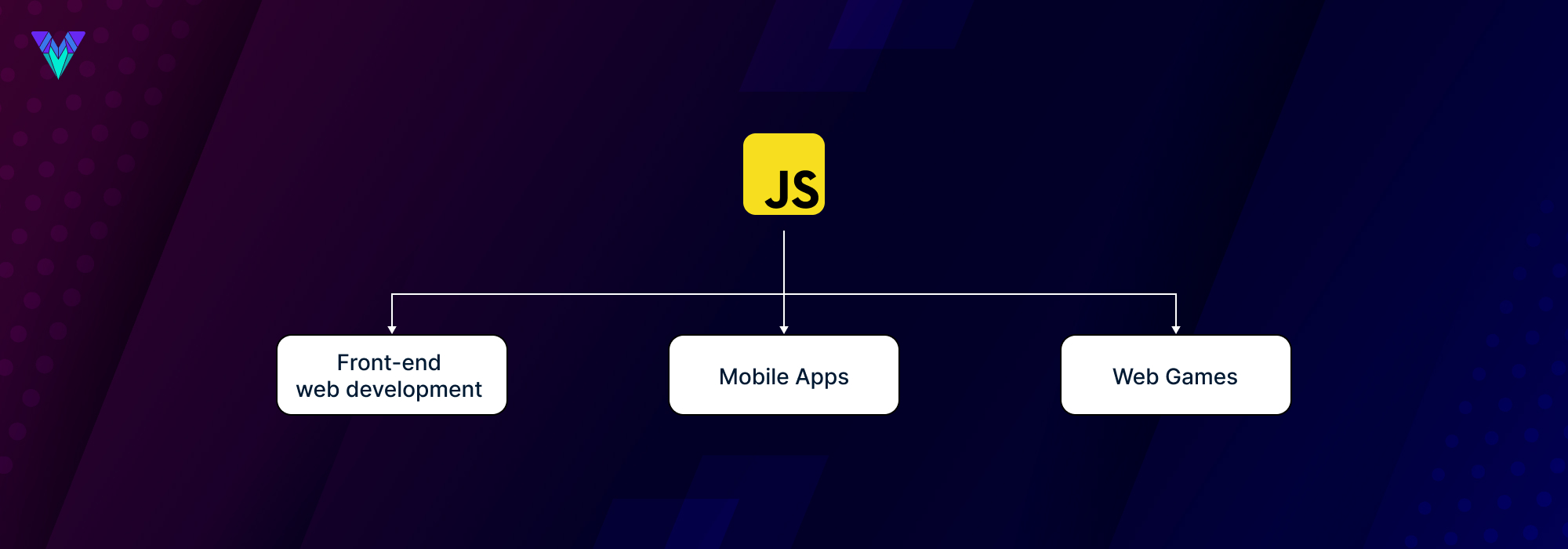
JavaScript is used frequently in Front-end, back-end, CLI, mobile applications, desktop applications, and game development.

It can also be used in AI and data science, IoT and robotics, and smart watch application development.

Differences between ruby on rails vs javascript framework

You know the basic overview of Ruby on Rails vs JavaScript Framework by now. Let us proceed with detailed descriptions of why these two technologies are being compared and which can be better for your project.

Brief Comparison

 Ruby on RailsJavaScript
Foundation year  20041995
Developed byDavid Heinemeier HanssonBrendan Eich
Websites Developed640,931 currently live websites147,727,074
VersionRails 7.0.4.3 and 6.1.7.313th Edition – ECMAScript 2022
PopularityComparatively lowHigh

Ruby on rails vs javascript: programming languages and syntax

Ruby on Rails is known for its easy-to-read code and elegant syntax, while JavaScript is popular because of its flexibility and simplicity in web application creation.

Ruby on rails vs javascript: performance and speed

JavaScript uses single-threaded and event-driven models for front-end and back-end developments. JavaScript is an excellent choice for designing low-latency apps since it removes the need to wait for functions to complete.

Ruby on Rails has a slow processing time and does not support asynchronous coding. You should be well-versed in the language to have efficient concurrency in Ruby on Rails. Ruby on Rails is interpreted at runtime, which affects performance and leads it to fall behind JavaScript.

Ruby on rails vs javascript: ease of use and learning curve

JavaScript is quite popular among developers. However, it has complex documentation and is limited to only a single approach to problem-solving. It makes it difficult for new developers to become acquainted with the same.

Ruby on Rails is far more accessible than JavaScript because it has excellent documentation and features that significantly simplify development.

Ruby on rails vs javascript: development cost

Ruby on Rails requires technical resources and professional developers to make your idea a reality. Whereas JavaScript is an ECMAScript implementation (a programming language based on several technologies) that already requires the selection of an expert developer for the development process.

Ruby on rails vs javascript: community support and resources

Both JavaScript and Ruby on Rails have large and active communities. Ruby on Rails has 51.7k stars and 20.7k forks on GitHub, and JavaScript has passed 100,000 stars on GitHub, becoming the 14th most-starred software.

On the other hand, JavaScript runs 95% of all websites on the internet. It is one of the most popular languages among the developer community, meaning that JavaScript has a larger community than Ruby on Rails.

Use cases for ruby on rails

Look at the area of application of Ruby on Rails

Use Cases For Ruby On Rails

Complex software development

The RoR Convention over Configuration approach for web development allows you to work with classic programming standards, which simplifies the process and reduces the amount of error

E-commerce platforms

Ruby on Rails offers features and tools that help develop robust web applications. It also provides tools that deliver a good experience and simplify the operational process.

Entertainment platforms

If your business requires speedy code and is growing rapidly, then Ruby on Rails is the perfect choice. It provides internal security applications to integrate, which attracts users.

Use cases for javascript

Let’s see the areas where JavaScript is used

Use Cases For JavaScript

Front-end web development

JavaScript allows users to add content to a document without refreshing the entire page. Most sites use JavaScript to verify and help external programs such as PDF documents, widgets, and Flash apps. JavaScript is used by some of the world’s leading IT businesses to improve the user experience.

Mobile apps

JavaScript codes used in smartphone mobile apps allow product owners to manage basic client-side functionality. They support it because of its front-end and offline capabilities.

Web games

JavaScript and HTML5 benefit product owners by allowing them to construct web games. In addition, the JavaScript Easel package has good graphics for high-quality game development.

Ruby on Rails Vs JavaScript google trends

Source: Google Trends

Ruby on rails vs javascript for web development

Although both Ruby on Rails and JavaScript are frequently used for web development, they have different uses and distinctive features. Let’s compare Ruby on Rails and JavaScript in terms of roles and uses:

Pros of using ruby on rails for web development

  1. Faster development time
  2. strong community support
  3. convention over configuration
  4. built-in security features

Cons of using ruby on rails for web development

  1. Slower runtime compared to JavaScript development
  2. the learning curve for beginners
  3. might not be suitable for highly complex applications.

Pros of using javascript for web development

  1. Fast runtime, highly versatile
  2. can be used for both front-end and back-end development
  3. vast selection of libraries and frameworks.

Cons of using javascript for web development

  1. Inconsistent browser support
  2. potential security vulnerabilities
  3. can be challenging to debug

Javascript vs ruby on rails for front-end web development

Pros of using ruby on rails for web development

  1. Easy integration with back-end
  2. built-in support for web sockets
  3. seamless use of MVC architecture

Cons of using ruby on rails for web development

  1. Limited front-end functionality
  2. slower performance compared to JavaScript

Pros of using javascript for web development

  1. High level of interactivity
  2. rich user interface
  3. wide range of frameworks

Cons of using javascript for web development

  1. Potential security vulnerabilities
  2. steep learning curve
  3. performance issues on older devices

Ruby on rails vs javascript for back-end web development

Pros of using ruby on rails for web development

  1. Faster development time
  2. built-in security features
  3. easy integration with front-end

Cons of using ruby on rails for web development

  1. Slower runtime compared to JavaScript
  2. may not be suitable for highly complex applications

Pros of using javascript for web development

  1. Fast runtime
  2. highly versatile
  3. can be used for both front-end and back-end development

Cons of using javascript for web development

  1. Inconsistent browser support
  2. potential security vulnerabilities
  3. can be challenging to debug

Javascript vs ruby on rails for full-stack web development

Pros of using ruby on rails for web development

  1. Faster development time
  2. Built-in support for MVC architecture
  3. Easy integration with the front-end

Cons of using ruby on rails for web development

  1. Slower runtime compared to JavaScript
  2. may not be suitable for highly complex applications

Pros of using javascript for web development

  1. Highly versatile
  2. fast runtime
  3. wide range of frameworks available.
  4. Potential security vulnerabilities and inconsistent browser support can be challenging to debug.

Cons of using javascript for web development

  1. Potential security vulnerabilities
  2. inconsistent browser support
  3. can be challenging to debug.

Examples of successful projects built with ruby on rails

Many projects have been using Ruby on Rails. Here are a few examples of Successful Projects Built with Ruby on Rails.

Examples Of Successful Projects Built With Ruby On Rails
  1. Airbnb
  2. Shopify
  3. GitHub
  4. Hulu
  5. Basecamp

Examples of successful projects built with javascript

Many projects have been using JavaScript. Here are a few examples of Successful Projects Built with JavaScript.

Examples Of Successful Projects Built With JavaScript
  1. Facebook
  2. Instagram
  3. Twitter
  4. Netflix
  5. LinkedIn

You can create your own application using Ruby on Rails and JavaScript for front-end, back-end, or full stack web development.

Curious About the Secrets of Building Impactful Projects?

Follow in ViitorCloud Footsteps and Master Ruby on Rails and JavaScript!
Hire Dedicated Developers for Your Projects

What is the top place to learn javascript and ruby on rails?

Many resources are available online to learn Ruby on Rails and JavaScript. However, we have listed the top 5 websites to learn JavaScript and Ruby on Rails.

Top 5 websites to learn ruby on rails

  1. GoRails
  2. Codecademy
  3. Try Ruby
  4. The Ruby on Rails Tutorial
  5. Rails for Zombies

Top 5 websites to learn javascript

  1. JavaScript for Cats
  2. Codecademy’s Intro to JavaScript Track
  3. Fullstack Academy’s Intro to Coding
  4. Treehouse’s JavaScript Basics
  5. MDN JavaScript

Key takeaway

  1. Choosing the right technology is crucial for web development.
  2. Ruby on Rails is a framework with advantages like faster development and code quality, but it has disadvantages like slower runtime.
  3. JavaScript has advantages like speed and versatility, but it has disadvantages like security vulnerabilities and browser compatibility issues.
  4. Ruby on Rails is used for complex software development and e-commerce platforms, while JavaScript is used for front-end web development and mobile apps.
  5. Examples of successful projects: Ruby on Rails (Airbnb, Shopify) and JavaScript (Facebook, Instagram).
  6. Top learning resources: Ruby on Rails (GoRails, Codecademy), JavaScript (JavaScript for Cats, Codecademy’s Intro to JavaScript Track).

Frequently Asked Questions

What is Better, JavaScript or Ruby on Rails?

Whether JavaScript or Ruby on Rails is better depends on the task. JavaScript is primarily used for front-end development, while Ruby on Rails is a full-stack framework used for web development.

Frequently asked questions

Yes, Ruby on Rails can use JavaScript for front-end functionality.

It’s difficult to determine the percentage of people who use Ruby on Rails vs. JavaScript as they are both widely used in different contexts.

Ruby on Rails is a full-stack framework, while JavaScript is primarily used for front-end development.

Ruby on Rails is used to build web applications, particularly those requiring a database. It is known for its ease of use and flexibility.

JavaScript can be easy to learn for some people, but it also depends on their background and prior experience with programming languages.

Ruby on Rails is popular among developers because it offers a streamlined and efficient way to build web applications. It has a strong community of users who contribute to its development and offer support to others.

React Vs Vue | Which framework to choose

If you’re looking for a framework to use for your next project, you’ve likely come across the terms React and Vue. Both frameworks have been around for a while, offering different functionalities and styles. If you are confused, Should I use Vue or React? Which is better: Vue or React 2022? Will compare the two platforms and help you decide which one is best for your next project!

React and Vue

React, and Vue is two of the world’s most popular front-end development frameworks. They both have their strengths and weaknesses, so it’s important to understand what each one can do before making a decision. In this article, we’ll compare React vs. Vue and help you decide which one is right for your next project.

Differences between react and vue

A well-liked JavaScript library for creating user interfaces is React. React, a renowned JavaScript library for web and mobile development. With scalability, extensive features, and reusable code, React JS empowers you to create exceptional user interfaces with ease. Vue is a different framework that takes a different approach to build user interfaces. Vue offers flexibility, seamless migration, and intuitive component components and allows developers to create complex UIs easily. This choice ultimately boils down to personal taste. If you’re new to React, we recommend starting with React first. If you’re more experienced with Vue, go with Vue.

Pros of react

React is a popular front-end library that enables developers to create user interfaces with declarative templates. React provides an efficient way to manage state, and its composable components make it easy to build user interfaces.

One of the main benefits of using React is that it is fast. Compared to other popular frameworks such as Vue, and Angular React performs faster in both development and production environments. Additionally, React has a large ecosystem of third-party libraries and tools that makes development more convenient.

Another advantage of using React is that it can be used for creating single-page applications (SPAs). SPAs are advantageous because they enable users to navigate between pages without reloading them. This makes SPAs more responsive than traditional web applications.

When compared to Vue, React has several advantages:

  1. React provides better performance and scalability when building large-scale applications.
  2. React promotes component reusability for efficient development.
  3. React is widely adopted by industry-leading companies.
  4. React offers robust debugging capabilities for enhanced development.
  5. React has a larger community of developers, making it easier to find support for your specific needs.
  6. React is easier to learn than Vue.
image

Dislikes of react

React’s popularity may be due to its simplicity and its use of ReactDOM.js, making it easy for developers to get started. However, React has a few drawbacks that may make it unpopular in some situations. Sometimes configuring React projects can be a complex task, especially for developers who are new to the framework. It involves setting up additional tools and configuring various aspects of the project, such as the routing library and state management.

Pros of vue

  1. Vue’s syntax is straightforward to understand, making it quick to learn and develop.
  2. Vue offers excellent testing capabilities, making it simpler for developers to write unit tests and ensure code quality.
  3. Vue provides two-way data binding is a powerful feature.

Dislikes of vue

When choosing a front-end framework, React, and Vue is often pitted against each other. However, many developers dislike Vue for various reasons. In this post, we’ll explore why many developers dislike Vue and whether or not it’s worth considering.

Why developers dislike vue

  1. Vue’s learning curve can be steep for developers experienced with other frameworks, potentially posing challenges during transitions or when working on projects with a different technology stack.
  2. Vue may receive less industry adoption compared to frameworks like React or Angular, which can limit job opportunities and community support for developers.
  3. Some developers have expressed concerns about gaps or inconsistencies in Vue’s official documentation, which can make it harder to troubleshoot or understand certain concepts.
  4. Vue’s opinionated structure, while a benefit for some, can be perceived as limiting or overly prescriptive for developers who prefer more flexibility or customization options.

Conclusion

React, and Vue is two of the most popular front-end development frameworks. Both have pros and cons, but in the end, it comes down to what you need your web app to do. If you’re still confused, Should I use Vue or React? Which is better: Vue or React 2022? I would recommend choosing React because it is more beginner-friendly; however, if you’re already familiar with modern JavaScript development and want something more feature-rich, go with Vue. Ultimately, the decision comes down to what features are important to you and how comfortable you are working with a particular framework. So whichever one you choose, make sure you research both before deciding.

Artificial intelligence vs. Machine learning vs. Deep learning: new ethics of future innovation

Every technology and innovation that comes, brings many options for employment with it. We have seen that technology is increasing rapidly in the time of Covid-19 and along with it many opportunities have also increased. In such a situation, a lot of work is being done through automatic machine learning and artificial intelligence. In a few years, artificial intelligence will remove about 20 to 30% of the manpower. This number is increasing very fast and machines are replacing humans. Although machines will not be able to completely remove humans, still it will make our work much easier.

Many big and big companies are working on these new technologies very fast. Multinational companies like Tesla, Microsoft, Google have started adopting these technologies rapidly and are continuously improving them. You may be still confused about Artificial Intelligence, Machine Learning, and Deep Learning. Today we will find out the difference between these three things and try to know each one very well.

Artificial intelligence: advanced human intelligence

Artificial Intelligence is a word that is in discussion all around these days. It enables a computer or machine to think so that it can make its own decisions. If you think at once, it seems impossible that how a machine can take decisions on its own. But if we go deep into machine learning, computational intelligence, and many other things, we will find that it can be possible.

There is no doubt that Artificial Intelligence is growing very fast. According to Inc., by the beginning of 2022, artificial intelligence will become a $3 Billion industry. Combining Artificial Intelligence with Human Abilities will give us amazing results which we have already started seeing. Using Artificial Intelligence in the right way will be very beneficial for us. With the help of this, many of our tasks will be done very easily and quickly.

Concept: Artificial intelligence is such an ability that understands and replicates the human mind and the capacity of the human mind. Through artificial intelligence, scientists enable machines to give them the ability to think. The main purpose of artificial intelligence is to solve big and complex problems in a jiffy.

Machine learning is a very big app, inside which there are many small concepts and subcategories. Developers are researching these subcategories by working specifically on them so that they can be used properly. Some of the subcategories that come under Artificial Intelligence are as follows:

  1. Machine Learning
  2. Deep Learning
  3. Cognitive Learning

Benefits of AI

With the speed with which artificial intelligence is being worked on, it can be estimated that there will hardly be any industry where artificial intelligence will not be used. The main purpose of artificial intelligence is to make the machine think and or rather make the machine think smartly. With the help of artificial intelligence, much of our work will be done very easily, due to which our manpower will decrease.

Machine learning

Machine learning is a part of artificial intelligence. It has started being used. For example, you do some search on Google and after some time you will find that you will start seeing advertisements related to the same product. Have you ever wondered why and how this happens? These things are done using machine learning. The search results and advertisements shown to you are happening only through machine learning.

Mainly, Machine Learning brings you relevant information for the future by connecting data and experiences from the past. Four things are necessary to make machine learning possible which include Pattern, Prediction, Inpit, and Past Experience.

Raw data is the main input in machine learning and, it processes it and shows you relevant data. There are mainly three algorithms used in machine learning, which are as follows:

Supervised learning algorithm

In this algorithm, some dataset is provided to the computer, and using that dataset computer provides the output. Suppose machine learning has to show what a mango looks like, then a supervised learning algorithm will be used for this. In this, you have to define a dataset that how a mango looks, what is the color of a mango, and many other things. Along with this, a label data set will have to be given in which the name of the mango will have to be defined. Based on this, whenever the algorithm gets that kind of data, it will guess that it is a mango.

Unsupervised learning algorithm

In this technique also have to create some data sets in advance, for example, you want to give data of cricket and football to the computer. And finally, you want to know how many footballs are there and how many cricket balls are there. For this, you will explain to the computer that to store the big ball separately and store the data of the small ball separately. The computer will work based on this and in the end, will tell you how many footballs and how many cricket balls are there in the data you have input.

Reinforcement learning algorithm

This algorithm is taught how to read and scan the data of the given input and predict the output. There are many algorithms inside this algorithm that give us the ability to work in different ways.

  1. Linear Regression
  2. Naive Bayes
  3. Logistic Regression
  4. Decision tree
  5. K-Mean
  6. Random Forest

Benefits of machine learning

With its help, we get help in decision-making, and also gives us the ability to do tasks automatically. With its help, we can convert the existing data into analytics and graphic representation. In this, we get good results, and features like multi-variety functionality are also available. Overall, it is a beneficial technology.

Deep learning

Deep learning is a field of machine learning, it all comes under artificial intelligence. It is the part of machine learning that examines the algorithm of the computer and gives us even better results. A lot of things like Chat Bots, Virtual assistants, and Face Recognition like difficult tasks are done with the help of Deep Learning. Artificial Intelligence is a very big field in which even impossible tasks can be done. Deep learning is a part of the same which focuses on a specific area which includes following tasks such as face recognition chatbots etc.

Benefits of deep learning

How much do face recognition, chatbots, and virtual assistants help you? Doesn’t that make your job easier? In the same way, as much time as it saves for you, it saves the same amount of time and consumption of manpower. Because all these things are happening with the help of an automatic process, then there is no need for manpower in it. Along with this, it is also useful for us because, with the help of them, our work gets done easily, fast and in the right way.

By the way, artificial intelligence, machine learning, and deep learning sound alike. But when you understand these concepts deeply, you will find that there is a lot of difference between them and they are completely different from each other. Artificial intelligence is man technology within which machine learning and deep learning come. Each concept has different algorithms and processes based on which they all work. We hope that after reading this article, you must have understood the difference between all these. In this rapidly changing digital world, Artificial Intelligence is going to grow at an even greater speed. Everyone is waiting to see how the upcoming results will be.

WordPress.com vs wordpress.org: what’s the difference?

You think wordpress.com and wordpress.org are the same, right? Well, you are not alone!

A majority of people get confused with wordpress.com and wordpress.org. They are bound to get confused as not many businesses have separate domains for .com and .org. Keeping aside the distinctions separating wordpress.com and wordpress.org, let us see what WordPress is first. It is a free CMS (Content Management System) that enables you to build your blog or website. You do not have to know programming to build a website using WordPress. That is great as it lets even the non-developers create their websites. As of today, more than forty percent of all the websites on the Internet use it.

In simple words, it is to your website what Microsoft Windows is to your personal computer or laptop. Initially, with WordPress, we could only create a blog. But thanks to the modifications in the core code, now we can make business and e-commerce websites of any size with it. It has many features, themes, and plugins that help you with the perfect solution. Using WordPress, you can create- Business websites, e-commerce stores, blogs, forums, social networks, and many more. You can create almost anything and everything you can think of with it. So, now that you are clear about what WordPress means.

Let us have a look at how wordpress.com and wordpress.org differ from each other.

  1. Setup process WordPress.com is a platform that lets you build your website without the need for an external hosting name. It is more like an all in one platform for creating websites. All you need to do is, go to the wordpress.com website and sign up. Put in your email and choose a name and design layout. It takes just a few minutes for you to create a functional website. That’s all to get you started. It is that simple.On the other hand, the setup for wordpress.org is not that simple. WordPress.org is website software that needs you to have a hosting account for which you have to pay. The software is open source though. Unlike wordpress.com, you do not directly open the website. But, you need to go to your choice of a web host and sign up there. Depending on the web host that you select, you will be able to choose one or more ways of installing a WordPress installer. If you opt for Bluehost as your hosting platform, then you will be able to install WordPress with just a click. Once that is done, you just have to follow the similar steps used in wordpress.com and you have a functional website ready.
  2. Themes available The total themes available for use depend on the type of plan you select in wordpress.com. With a free plan, you get about 150+ themes, whereas, with the paid plans, you get access to more than 350 themes.On the other hand, for wordpress.org, the total themes you can use for free is in thousands. With the paid version, you have access to another set of thousand themes. One of the most famous market place for WordPress themes is the “ThemeForest”. It gives you access to over ten thousand themes.
  3. Plugins available They are the packages that you can install to extend the default features of your WordPress website. With wordpress.com, you can install more than fifty thousand plugins only for a Business/e-commerce plan. With wordpress.org, there is no such thing. You may add new plugins irrespective of your host site or the amount you pay. Generally, you have access to fifty thousand plus plugins, but you are free to add so many other plugins of your choice.
  4. Backup & security You get basic security and backup provision in wordpress.com. Till now, there has not been any serious security breach. Also, it will take care of software updates.For the WordPress.org software, everyone has access to the source code. It adheres to the latest security demands and norms. Hence, it is difficult for hackers to break into it, making it secure enough for your project. If you have a business site, then you can add more security plugins. You get a notification whenever there is an update.
  5. Monetization options for making money from your wordpress.com website, you need a Premium plan at least. The free version does not let you monetize. They promote their advertisements on your website that you cannot disable.Wordpress.org being open-source software has no such limits on monetization. It lets you add or enable your choice of monetization method.
  6. Official support availability in the case of wordpress.com, there is no support available for you if you go for a free plan. They provide email & chat support for paid plans.

    For wordpress.org, there is absolutely no official support available from the channel directly. Your only means of getting support is from your web host. If your chosen host is good at WordPress, then you have skilled WordPress teams to help you if you get stuck anywhere. A few affordable hosting platforms that offer help and support for WordPress are Blushost, SiteGround, and LiquidWeb.

  7. Customization options Technically both, wordpress.com and wordpress.org run the same WordPress software. But, when it comes to wordpress.com, there are many limitations and mechanisms when it comes to customization. It is limited to what you can do with websites working on wordpress.org.Wordpress.org is open-source that means you can customize the themes and add new ones using the Internet as well. Also, you can add and configure the plugins. If you want a fully custom site, you can Hire a WordPress developer for coding. In simple terms, with wordpress.com you have limited options for customization and with wordpress.org you can do anything that you like for customizing your website.
  8. Pricing WordPress.com has both free and paid plans. With the Free plan, you can set your website on its domain. You need about 3GB of your disk space. The only thing is that you need to be okay with wordpress.com’s advertisement on your site. The paid plans come with a lot of features. Also, you do not have to worry about wordpress.com’s advertisements popping up on your website.Wordpress.org being open-source software is available for free. In case you wish to make your site visible to everyone, you have to get a domain name for which you have to pay.
  9. Google Analytics If you do not keep a tab on how your website is performing, you will never know how to make it better. Even if your website is a top-performing one, still it is necessary to keep a track of it. Google Analytics is the best analytics tool to keep track of how your website is performing. This plugin is not available in the free plan of wordpress.com. You have to upgrade your plan to use Google Analytics. With wordpress.org, you can use Google Analytics for free. With analytics, you can easily track the performance of your site and improve it according to the reports.

So now you know that both these platforms have their set of pros and cons. So you may ask which one you may choose. If you intend to create a website just for a personal project, you can choose wordpress.com. Its setup is simple too. On the other hand, to create a website for your brand or business, go for wordpress.org.

We have a team of experts who can help you develop the best website for you with WordPress. Let us take care of your website development while you focus on your core business.